


in Solutions
How to fix underexposed backgrounds
Problem
If you add a background (in view > viewport background)
probably come out dark or underexposed, according to your V-Ray Camera.
Solution
Don’t let V-Ray Camera affecting your background:
just disable “Affect backgroud” in color mapping – check the picture below
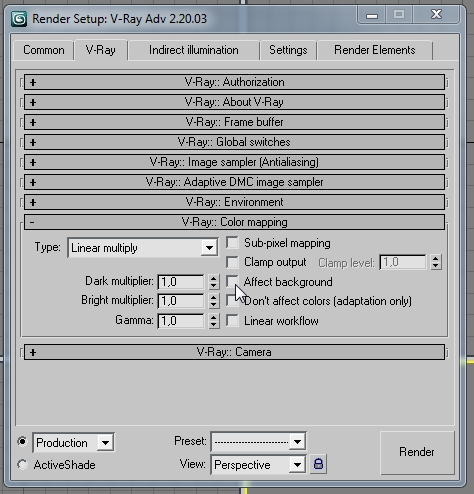
Note: By default this option is enabled. In case you use some bitmap as background, disable it to avoid underexposed backgrounds.