


The V-Ray Advanced lessons have been created in order to help users in more complex tasks that require the combined use of different knowledge. Animation of sequences and After Effects, complex materials, advanced post-production and advanced modeling tools. You’ll find all these topics in the following amazing 15 lessons.
COURSE RESERVED – Only the Learnvray students can buy this special package. Log In or contact us at support@learnvray.com
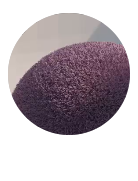
01 V-RAY FUR
Creating carpets with VRayFur, the “Lotso” fur from Toy Story. Creating incredible and quick grass with VRayFur, using VRayHairMtl.
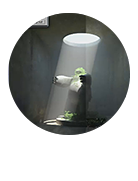
02 V-RAY ENVIRONMENT FOG
Creating volumetric light with VRay Sun. How to use Atmospheric Apparatus with BoxGizmo to create fog’s shape.

03 V-RAY HDRI
Full control of light, reflections and shadows. Lighting a scene perfectly without VRay Sun help. HOw to light night and sunrise scenes with HDRI maps.
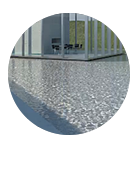
04 V-RAY CAUSTICS
Creating caustics on a simple way, with water and glass. Also using bump maps and geometry modifiers.
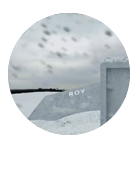
05 CREATING SNOW
Creating snow surfaces, with the Zdepth Channel. Use the Particle Systems (Blizzard), Compositing a snow scene in Photoshop. Use of Push/Pull tool, Use of VRaydisplacementMod for snow surfaces.
06 V-RAY DISPLACEMENT
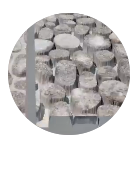
The 2D y 3D mode to create grass, gravel & sand with the VRayDisplacementMod modifier.
07 V-RAY SSS
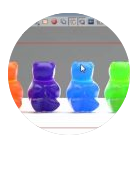
Creating chocolate material, Creating jelly material, Sub-Surface Color, Differences between Color Mode
08 V-RAY PROXY
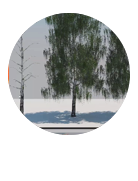
How to create a Proxy and import it to your new scene. Reverting a Proxy to a Mesh, Avoid loss the Proxy materials and scale.
09 V-RAY BLEND MATERIAL
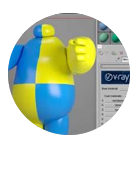
Creating a VRayBlendMtl, Creating a Multi / Sub-object, Appliying IDs to objects and materials, Appliying masks to mix the VrayBlendMtl

10 V-RAY RENDER ELEMENTS
How to save Render Elements, The VrayExtraTex, Adding lights to VRaylightselect, Using Photoshop to blend the Render Elements
11 V-RAY LIGHT IN DEPTH
The VRaylight plane, sphere, mesh & disc, Working in a logic way using Watts,The difference between “affect diffuse, affect specular & affect reflections”, Keep your lights organised with “viewport wire color y icon text”

12 V-RAY PHYSICAL CAMERA
Simulating a real camera;Placing the camera in the scene;Basic settings of the VRayPhysicalCamera ;The exposure triangle (f-number, Shutter speed y ISO) ;The White Balance;Create Depth of field in an easy way
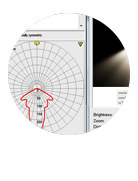
13 V-RAY IES
Simulating photometric lights, Differences with VRaylights, Loading an IES file, The importance of power and target in IES lights
14 V-RAY FRAME BUFFER IN DEPTH
Saving the RGB and render elements, Rendering by region, Tools for Post production, sRGB the correct way to visualize the VFB, The use of VFB History Window