


The V-Ray Advanced lessons have been created in order to help users in more complex tasks that require the combined use of different knowledge. Animation of sequences and After Effects, complex materials, advanced post-production and advanced modeling tools. You’ll find all these topics in the following amazing 15 lessons.
COURSE RESERVED – Only the Learnvray students can buy this special package. Log In or contact us at support@learnvray.com
01 A – ANIMATING LINEAR MOVENTS
Control camera movement is one of the most important things for a successful animation steps
01 B – CIRCULAR MOVEMENTS
How to use a dummy to rotate a camera like movies
02 A – ANIMATING A DRAFT
Verify how the animation is going on by creating drafts & previews
02 B – THE PRE-CALCULATION
Pre calculation is the crucial part in an animation, if you do it correctly you will have an excellent final result
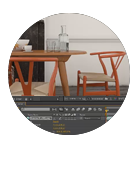
03 A – ANIMATION IN AFTER EFFECTS
How to use After Effect to import frames and create the movie
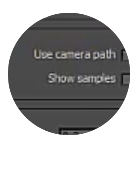
03 B – CAMERA PATH
The great solution of using Camera Path

04 PURE LIGHTING
How to handle the white balance, achieving the Golden Light, keeping a well balanced colors

05 PURE POST PRODUCTION
How to create a diamond material and how to use realistic Vray2sideMtl for different type of curtains
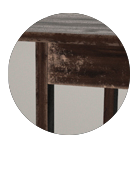
06 SCRATCHED MATERIALS
Use V-Ray Blend Material to recreate old wood and also to simulate typical scratches
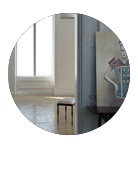
07 BLACK PANELS
Modeling light is a very complex operation under the photographic point of view. You can use light and also black panels
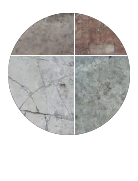
08 PREPARING TEXTURES
Where to find the best textures and how to prepare then in order to achieve the best post production possible
09 DIRTYING IN POST
We usually add details during the rendering, but it is also possible to do it in post production

10 UNWRAP WORKFLOW – 1
Creating realistic textures for objects in our scenes is as vital as setting up realistic lighting. Let’s start to learn Unwrap technique
11 UNWRAP WORKFLOW – 2
Finally we revise additional tools for dealing with complex clusters. Finalizing our UV’s for texturing involves checking
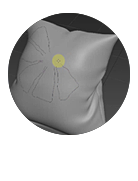
12 GRAPHITE MODELING – 1
Graphite modeling tools within 3DS Max has some handy tools that enables us to easily manipulate volumes of a geometries surface
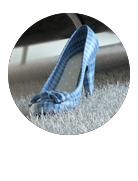
13 GRAPHITE MODELING – 2
Use Graphite tools to work with organic objects like pillows and other organic objects for interiors or exteriors
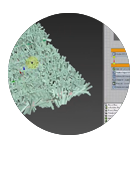
14 PARTICLE FLOW
Soft fluffy carpets can be tricky as well as time consuming to achieve without the flexibility and control that particle flow offers
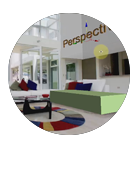
15 CAMERA MATCH
Learn more about setting up a V-Ray Physical Camera using the Perspective Match tool within 3DS Max
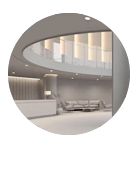
16 LOBBY – ADVANCED LIGHTING
Create an image with natural light feeling, also using artificial lights and accents, in a very large space
17 LOBBY – MATERIALS & ADVANCED MAPPING
Create translucent materials and speedup your work by using Bercontile and Multitexture for random and realistic texturing
18 LOBBY – POST PRODUCTION
Advanced Photoshop post-production thanks to ‘MultiMatteElement’ and VrayLightSelect Render Elements