


El Curso 5SRW está diseñado para guiar a los estudiantes desde lo básico, desde los primeros conceptos, a situaciones complejas, tanto en términos de iluminación como de materiales. Las lecciones se estructuran progresivamente para facilitar el aprendizaje, utilizando V-Ray para 3ds Max.
LECCION de Prueba
ESPAÑOL – En cada clase encontrarás todos los videos en español. El índice abajo està inglés para todos.
Introducción
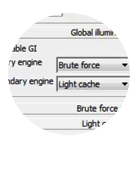
02 RENDER SETTINGS
Explore the two main ways to render with V-Ray
03 V-RAY SUN & CAMERA
Learn how simple is adding a sun and a camera in a scene
04 V-RAY LIGHTS
The light sources that we will use working on the scenes
05 LIGHT HIERARCHY
Built the first light hierarchy using three sources
06 V-RAY FRAME BUFFER
Fix overexposurers with V-Ray Frame Buffer
07 V-RAY IES
How V-Ray IES works
08 V-RAY MATERIALS
Start creating V-Ray Materials from the scratch
09 V-RAY HDRI
How to light with HDRl maps
10 COLOR MAPPING
Understand the Color Mapping
Extra V-RAY LIGHT SELECT
Use the V-Ray Light Select element for Post-Production
Extra PHYSICAL VS V-RAY PHYSICAL
Learn the relevant aspect of a camera, so you can easily use both
Chapter 01
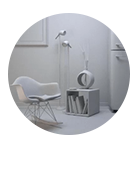
11 70s STYLE START
First Light Balance and exposure settings
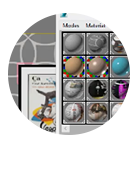
12 MATERIALS
Shiny and opaque reflections / Fresnel concept
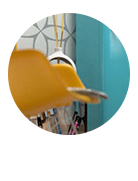
13 DEPTH OF FIELD
How to master DOF – Depth of field
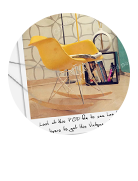
14 POST-PRODUCTION
Photoshop techniques for vintage effects
Chapter 02
15 RAY FIRE PLUGIN
Place objects randomly with RayFire
16 HDRI & REFLECTIONS
Use HDRI to create nice reflections on small objects
17 FINAL RENDER
Photoshop filters to create amazing bump maps
Chapter 03
18 LIGHT BALANCE / SPOTS
SpotLights and VRaylights for complex light balance
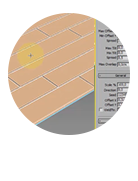
19 FLOOR GENERATOR
How to create/model a photorealistic floor using a script
20 A – CURTAINS & LIGHT
Simulate the sun passing through the curtain
20 B – CARPETS WITH FUR
How to easily create a carpet with V-Ray Fur
21 POST-PRODUCTION
The ‘Sandwich’ technique to control overexposures in Photoshop
Chapter 04
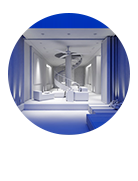
22 LIGHT BALANCE / IES
How to create an interior light hiearchy mixing IES and VRayLights
23 A – MATERIALS
How an emissive material works, in comparison with the V-Ray Light
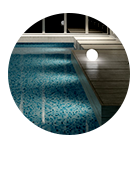
23 B – LIGHT BALANCE / IES
Simulate a realistic calm water, with little movements
23 C – MATERIALS
How to use reflections map to increase the amount of details and realism
24 A – AMBIENT OCCUSION
How to enable and use the Ambient Occlusion pass
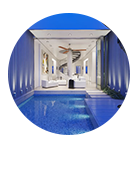
24 B – POST-PRODUCTION
How to composite a double AO layers with Photoshop
Chapter 05
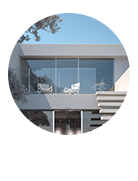
25 LIGHT BALANCE / GPU
Create a light balance for exteriors, using V-Ray GPU (former Real Time, RT) – 15:33
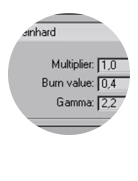
26 A – COLOR MAPPING
Handle Fresnel IOR to create photorealistic glass / exteriors – 32:20
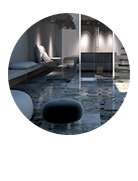
26 B – MATERIALS
How to use the fall off effect and the reflection map to have more details

27 A – RENDER ELEMENTS
How to create and use the render elements for a post-production
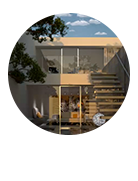
27 B – POST-PRODUCTION
It’s the magical moment of the day, when the sun is close to the horizon
Chapter 06
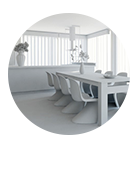
28 LIGHT BALANCE / NATURAL
Realistic natural light with V-Ray Sun and Curtains – 13:12
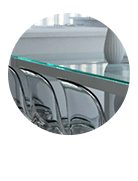
29 MATERIALS
Traslucency: VRay2Sided Materials and VRay SSS2 – 15:23
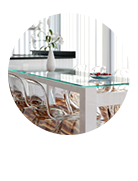
30 A – FINAL RENDER
Let’s create another shot with the depth of field effect
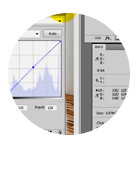
30 B – WHITE BALANCE
Let’s carry out an advanced white balance technique
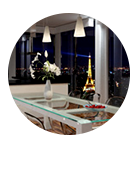
31 NIGHT LIGHTING
Use VRay Reflections, night effect – 11:37
Chapter 07
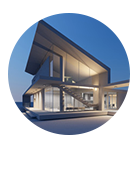
32 LIGHT BALANCE / EXTERIOR
Photographic composition and night balance (exterior) – 15:29
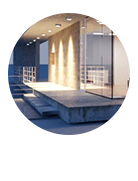
33 MATERIALS
How to use VRaycompTex to improve texture details – 18:32
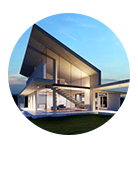
34 FINAL & POST
VRayFur to easily create amazing grass – 12:34
Chapter 08
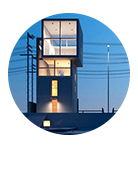
35 LIGHT BALANCE / NIGHT
IBL, how to use HDRI maps with a VRay Dome – 19:53
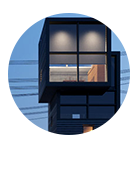
36 MATERIALS
Unwrap modifier to map different surfaces – 18:32
37 FINAL & POST
Fad, Proglow and Vignetting techniques with Photoshop – 12:02
Chapter 09
38 LIGHT BALANCE / STUDIO
Studio lighting setup for lowkey scenes – 15:46
39 MATERIALS
Complex materials using reflection/Glossy maps – 15:01
40 FINAL & POST
How to use VRayLens controls to create Bloom & Glare – 15:09
Chapter 10
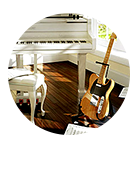
41 DNA – INTRO & CONCEPTS
Handle V-Ray Camera, Lights and spaces for lighintg schemes – 4:23
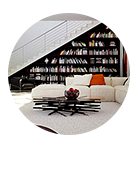
42 DNA – DAYLIGHT LOFT
SCENE – Daylight Loft, VRayportal for natural light (Lighting Template)
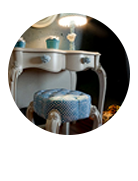
43 DNA – MAGIC ROOM
SCENE – Use VRayLens to get the magic into ‘Magic Room’ (Lighting Template)
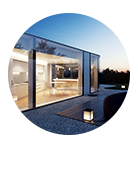
44 DNA – LAKE HOUSE
SCENE – How a simple VRayDome + VRaySKy can create the magic ‘Lake House’ (Lighting Template)
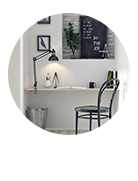
45 DNA – BLACK & WHITE
SCENE – VRaySun + Portal + IES + VRayLight in Black&White interior (Lighting Template)
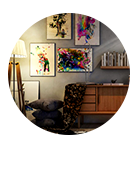
46 DNA – ART ROOM
SCENE – VraySphere Light and IES in Art Room (Lighting Template)
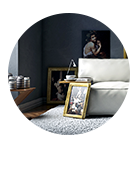
47 DNA – CARAVAGGIO STYLE
SCENE – Use VRaySun multipler for Caravaggio Style (Lighting Template)
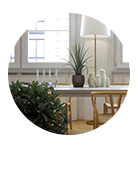
48 DNA – BONILLA LIGHT
SCENE – Natural and bright light in Bonilla Lighting (Lighting Template)
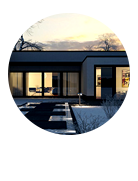
49 DNA – WINTER VILLA
SCENE – Dusk lighting in exteriors (Lighting Template)
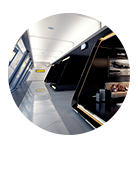
50 DNA – AIRPORT CONCEPT
SCENE – Use this complex lighting for big spaces like an airport (Lighting Template)
Complete todas las pruebas, superando todas con éxito